A casio pedometer watch is a practical middle ground between a basic wristwatch and a battery-hungry smartwatch. It tracks daily steps, shows the count on your wrist, and runs much longer between battery changes. This guide explains which Casio models actually have a step counter, how to set one up, how accurate they are, and how to choose one without paying for features you will not use.
Quick Answer: A casio pedometer watch is a Casio digital or G-Shock watch with a built-in accelerometer. It counts steps, shows progress toward a daily step goal, and can sync basic activity data to the CASIO WATCHES phone app. Most models are not full GPS fitness trackers or smartwatch replacements.
Why People Look for a Casio Pedometer Watch
Step tracking usually means one of two things. You carry a phone in your pocket all day, or you wear a smartwatch that needs frequent charging. Both work, but both have friction. A phone is easy to leave on a desk. A full smartwatch often lasts a day or two before it needs a charger.
A Casio step tracker watch removes that friction. The step count lives on the wrist, not inside a pocket. The display is a simple LCD that is legible in daylight. And the battery on many current Casio pedometer models is a coin cell rated for roughly two years, not an overnight charging routine.
That does not mean a Casio pedometer watch is for everyone. It does not replace a Garmin or Apple Watch for serious training analysis. But for a daily step goal, a durable watch case, and months of battery life, it solves a real problem.
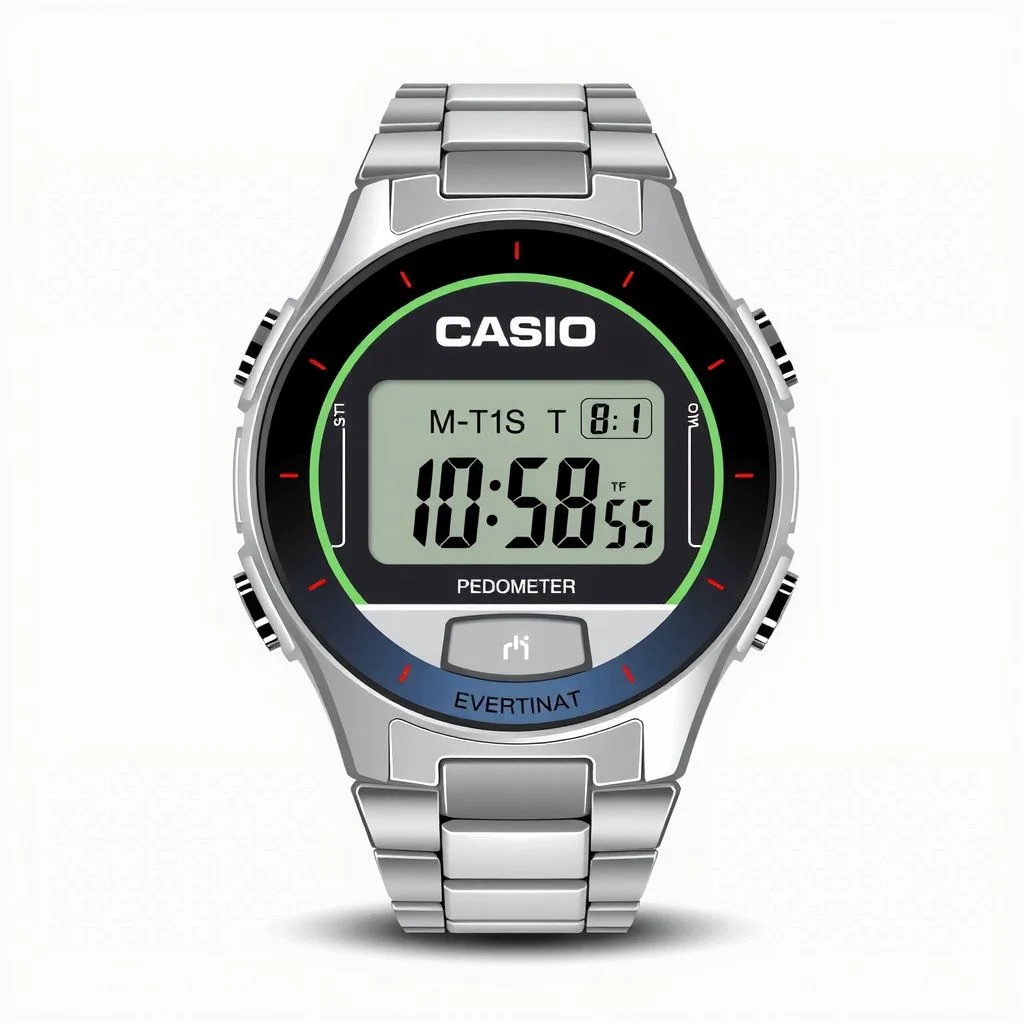
What a Casio Pedometer Watch Can and Cannot Do
The core job is simple: count steps on your wrist and survive daily use. Beyond that, the feature set stays intentionally narrow.
What it usually tracks
- Daily step count
- Progress toward a step goal
- Estimated distance and calories burned
- Time, date, stopwatch, and timer
- Phone notifications on some Bluetooth models
What it usually does not do
- Continuous GPS route mapping on most models
- Heart rate, ECG, or blood oxygen monitoring on entry-level step models
- Third-party fitness app syncing for services like Strava or Apple Health
- Rich touchscreen apps and media controls
The exception is the higher-end GBD-H1000, which adds GPS and heart rate tracking. But most shoppers looking for a casio pedometer watch want the simple version: a watch that counts steps, shows the total, and keeps working for a long time.
Casio Pedometer Watch Models Worth Knowing
Not every Casio watch with Bluetooth has a step counter. Some are just solar-powered, radio-controlled, or Bluetooth time-sync watches. If you are shopping, check the product description for the words step tracker or step counter.
These are the main Casio lines that include step counting.
| Model line | Best for | Step tracking | Phone sync | Battery / power |
|---|---|---|---|---|
| GBD-200 | Runners and gym use | Step count, goal progress, distance and calorie estimates | Bluetooth to CASIO WATCHES app | Coin cell, approx 2 years |
| GBA-900 | Daily G-Shock wear | Step count, goal progress, calorie estimates | Bluetooth to CASIO WATCHES app | Coin cell, approx 2 years |
| GBD-H1000 | GPS and heart rate training | Step count plus GPS distance and heart rate | Bluetooth to CASIO WATCHES app | Solar-assisted USB charging |
| ABL-100 line | Slim everyday step tracking | Step count, goal progress, phone alerts | Bluetooth to CASIO WATCHES app | Coin cell, approx 2 years |
The GBD-200 and GBA-900 are the easiest recommendations for most people. They are rugged G-Shock watches, they track steps without a charger, and they do not force you into a bulky training watch. The GBD-H1000 is much more capable but heavier and more expensive, so it only makes sense if you will use the GPS and heart rate functions.
The newer ABL-100 line is the slimmer alternative. It has a more traditional Casio look, a step tracker, and Bluetooth phone alerts, which makes it a good choice if you want step counting without the oversized G-Shock case.
How to Set Up a Casio Pedometer Watch
Setup takes a few minutes, and the watch does not require the phone to count steps. The phone simply gives you a better dashboard, a step goal, and activity history.
Follow these steps:
- Download the CASIO WATCHES app from the Apple App Store or Google Play.
- Put the watch into pairing mode. The exact button sequence varies by model, so check the manual for your specific watch.
- Pair the watch in the app and enter your height, weight, and birth date. These details improve distance and calorie estimates.
- Set a daily step target in the app. The watch face then shows your progress as a number or percentage.
- Wear the watch snugly above your wrist bone. The accelerometer needs wrist movement to register steps.
Pro Tip: Set your height and weight in the CASIO WATCHES app as soon as pairing is done. Step counting itself does not need that data, but distance and calorie estimates become much more useful when the app knows your body size.
After setup, the watch handles the daily counting. The app is where you review past days and change goals.
Step Accuracy, Battery Life and Real World Limits
A wrist pedometer counts steps by detecting arm swing. That makes it convenient, but it also creates some predictable quirks.
Normal walking and light running are usually consistent enough for a daily baseline. But if your arm is not swinging, steps can be missed. Pushing a grocery cart, holding a handrail, or carrying a bag can lead to undercounting. Moving your hands while sitting or talking can create overcounts.
That is not a Casio-specific flaw. It is true of nearly every wrist-worn step tracker. Treat the number as a useful daily signal, not a laboratory measurement.
Battery life is where these Casio watches stand out. The coin cell models like the GBD-200, GBA-900, and ABL-100 line are rated for about two years with normal use. The GBD-H1000 is different because it uses GPS and heart rate monitoring, so it relies on solar-assisted USB charging.
Water resistance is also strong on many step tracker models. G-Shock models are often rated to 200 meters, and some slim Casio models are rated to 100 meters. Check the case back of the specific watch before swimming or showering.
The main limit to understand before buying is software. Casio’s app is focused on basic activity data, time settings, and phone alerts. It is not a deep health platform. If you want SpO2 readings, sleep stage analysis, or third-party workout sync, a Casio pedometer watch will feel limited.
How to Choose the Right Casio Step Watch
Start with the wearing style you will tolerate every day.
- Choose the GBD-200 if you want a large G-Shock display, big buttons, and workout timer functions.
- Choose the GBA-900 if you want a daily G-Shock with step tracking but a more traditional analog-digital look.
- Choose the GBD-H1000 only if you need GPS distance and heart rate tracking.
- Choose the ABL-100 line if you want a slim case and step counting in a less bulky package.
Budget matters too. The coin cell models are generally less expensive and cheaper to maintain. The GPS and heart rate model costs more up front and needs occasional charging.
Finally, do not buy a sporty-looking Casio and assume it has a pedometer. Confirm the spec sheet. Many Casio watches have timers, world time, and water resistance but no step counter at all.
A daily step goal is useful, but public health guidance usually focuses on minutes. The World Health Organization recommends at least 150 to 300 minutes of moderate aerobic activity per week for adults. A Casio pedometer watch can help you see whether your daily movement is falling short, but the watch itself is the tool, not the goal.
Key Takeaways
- A casio pedometer watch counts steps on the wrist and runs on a coin cell battery for roughly two years, with no nightly charging.
- The main step-tracking models are in the G-Shock Move line, plus slim options like the ABL-100 line.
- You do not need a phone to count steps. The phone adds goal setting, activity history, and phone alerts.
- Accuracy is good for daily walking but wrist-based counting can undercount when your arms are not swinging.
- Always verify that the exact Casio model you are buying has a step tracker, because many Casio watches do not.
Frequently Asked Questions
Q: Does a Casio pedometer watch need a phone to count steps?
A: No. The watch counts and stores steps on its own. A phone adds setup, goal setting, time correction, activity history, and phone alerts on Bluetooth models.
Q: How accurate is the step count on a Casio pedometer watch?
A: It is based on arm swing. Normal walking and light running are usually consistent, but holding a rail, pushing a cart, or moving your hands while seated can cause undercounts or overcounts. Treat it as a daily baseline, not medical-grade data.
Q: How long does the battery last in a Casio pedometer watch?
A: On coin cell models such as the GBD-200 and GBA-900, Casio rates battery life around two years with normal use. GPS and heart rate models like the GBD-H1000 use a rechargeable battery with solar-assisted charging.
Q: Can I swim or shower with a Casio pedometer watch?
A: Many Casio step tracker models are rated to 100 or 200 meters water resistance, so swimming and showering are generally fine for those models. Check the case back rating for your specific watch.
Q: Does the watch track heart rate or sleep?
A: Basic step models do not. The GBD-H1000 includes a heart rate monitor, but most G-Shock Move and slim Casio step watches focus on steps, distance, and calorie estimates.
Q: How do I reset the daily step count?
A: On current Casio step tracker watches, the daily step count resets automatically at midnight. You can use the CASIO WATCHES app to view past days and adjust your daily goal.
References & Further Reading
- Casio G-Shock Official Site
- CASIO WATCHES App Support
- World Health Organization: Physical Activity Fact Sheet
This article was drafted with the help of AI tools.
Pingback: What Is One Way That Technology Can Improve the…