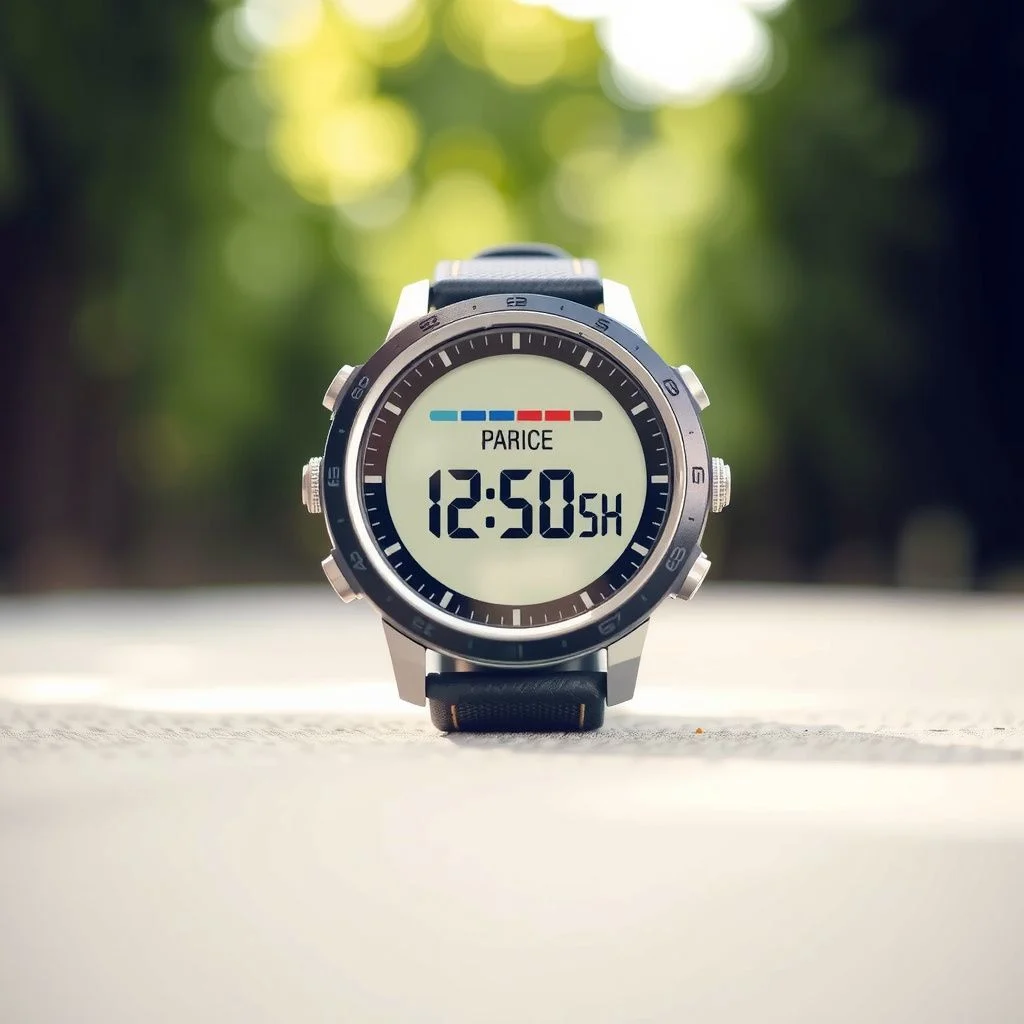
A pedometer watch no bluetooth is a simple tool with a specific job: count your steps and show you the number, without connecting to your phone, the cloud, or anything else. If you are tired of constant notifications, short battery life, or privacy concerns tied to connected wearables, this guide explains exactly what these watches do, what they cannot do, and how to pick one that actually works for your daily walking routine.
Quick Answer: A pedometer watch with no bluetooth tracks steps using an internal accelerometer and stores the data locally on the watch face. You get step counts, distance estimates, and sometimes calorie burn, all without a smartphone app or data connection. The trade off is no automatic syncing or long term history, but you gain better privacy, much longer battery life, and a simpler experience.
What a No-Bluetooth Pedometer Watch Actually Does
A standard fitness tracker or smartwatch relies on bluetooth to push data to your phone. That phone then uploads the data to a server, where an app crunches the numbers and shows you trends. A pedometer watch with no bluetooth skips all of that.
The watch itself contains a small motion sensor called an accelerometer. When you walk, the sensor detects the rhythmic up-and-down movement of your body. The watch’s onboard processor uses an algorithm to decide which movements count as steps. The result appears directly on the watch display.
There are three core functions you can expect:
- Step counting: The primary job. Most basic models count steps accurately enough for general daily activity tracking.
- Distance estimation: The watch multiplies your step count by a stride length setting you input during setup. If the watch lets you set your stride length, accuracy improves significantly.
- Calorie estimation: A rough estimate based on step count, your weight setting, and sometimes an activity level setting. Treat this as a general guide, not a precise measurement.
What you will not get is heart rate monitoring, GPS mapping, sleep stage analysis, or smartphone notifications. Those features require sensors and connectivity that a no-bluetooth design intentionally leaves out.
That limitation is the point. The watch does one thing and does not distract you.
Why Choose a Watch Without Bluetooth
Several practical reasons push people toward a non-connected pedometer. None of them are about being anti-technology. They are about control.
Privacy and Data Ownership
A bluetooth fitness tracker creates a data trail. Your step counts, your sleep times, your GPS routes if the device has them, all end up on a company server. Some people are fine with that. Others are not.
A pedometer watch no bluetooth keeps your movement data on your wrist. You read the number, you reset the counter, and the data disappears. No account, no cloud storage, no third party data sharing. For anyone who wants to track steps without creating a personal data profile, this is the cleanest option.
Battery Life Measured in Months, Not Days
Bluetooth radios drain batteries. A connected fitness tracker typically needs charging every 5 to 10 days. A smartwatch with an always-on display might need charging daily.
A basic non-connected pedometer watch often runs on a standard coin cell battery for 6 to 12 months. Some models last even longer. You replace the battery once a year and never think about charging cables again.
Fewer Distractions
Smartwatches buzz with texts, calls, app alerts, and reminders to stand up. A no-bluetooth pedometer watch does none of that. It shows the time and your step count. That is the entire interface.
For people who want to walk more without adding another screen to their life, that simplicity is the main selling point. You glance at your wrist, see your number, and get back to whatever you were doing.
Lower Cost
No bluetooth, no heart rate sensor, no GPS, no color touchscreen. Fewer components mean a lower price. Most no-bluetooth pedometer watches cost between $15 and $40. You can find reliable models from established brands in that range.
Pro Tip: If you are buying a no-bluetooth pedometer watch specifically to avoid screen time, look for a model with a physical button to cycle through displays rather than a touchscreen. Physical buttons are easier to use while walking and eliminate accidental swipes.
Key Features to Look For
Not all basic pedometers are equal. Some cheap models overcount steps when you fidget or move your arm while sitting. Others undercount when you walk slowly or push a shopping cart. Here is what separates a decent unit from a frustrating one.
Adjustable Stride Length
Distance accuracy depends on stride length. A watch that assumes a default stride length will be wrong for most people. A watch that lets you enter your own stride length, measured by walking a known distance and dividing by your step count, will be much more accurate.
7-Day Memory
Some basic pedometers reset to zero at midnight or when you press a button. Better models store the last 7 days of step counts on the device. You can scroll back through the week to see your daily totals without any app or connection.
Water Resistance
You will wear this watch while walking, and walking happens in the rain. Look for at least a 3 ATM water resistance rating, which means it can handle splashes and brief immersion. Avoid any watch without a stated water resistance rating unless you plan to take it off for any weather.
Readable Display
A no-bluetooth pedometer watch is useless if you cannot read the screen in sunlight. Look for a high-contrast LCD or e-ink style display. Avoid models with dim, low-contrast screens that wash out outdoors.
Replaceable Battery
Some budget pedometer watches use sealed batteries. When the battery dies, you throw the watch away. A better design uses a standard CR2032 or similar coin cell battery that you can replace yourself in minutes.
Comparison: No-Bluetooth Pedometer vs. Basic Fitness Tracker
The decision usually comes down to a no-bluetooth pedometer watch versus an entry-level fitness tracker like a Fitbit Inspire or Xiaomi Mi Band. Here is how they compare on the factors that matter for daily step tracking.
| Feature | Pedometer Watch No Bluetooth | Basic Fitness Tracker |
|---|---|---|
| Step counting | Yes, on-device display | Yes, on-device display |
| Data storage | 7-30 days on device, then overwritten | Long-term history in app |
| Battery life | 6-12 months (coin cell) | 5-14 days (rechargeable) |
| Smartphone notifications | No | Yes |
| Heart rate monitoring | No | Usually yes |
| Sleep tracking | No | Usually yes |
| Privacy | No data leaves the device | Data synced to cloud account |
| Price range | $15-$40 | $40-$100 |
| Setup required | Minimal, set time and stride length | App download, account creation |
The table makes the tradeoff clear. A basic fitness tracker gives you more data and long-term insights. A no-bluetooth pedometer watch gives you independence from apps, accounts, and chargers. Neither is objectively better. The right choice depends on what you value.
Who Should Buy One
A pedometer watch with no bluetooth suits specific situations better than others.
Older adults who want simple step tracking. Many seniors want to know if they are staying active without learning a new app or managing a smartphone connection. A basic pedometer watch with a large display and one button is easy to use and requires no ongoing maintenance beyond a yearly battery swap.
People in restricted environments. Some workplaces, such as secure facilities, hospitals, or schools, prohibit bluetooth devices. A non-connected pedometer watch complies with those rules while still tracking activity.
Anyone reducing screen time. If you want to track steps without adding another notification source to your day, a no-bluetooth watch is the only option that delivers step data without a screen to scroll.
Budget-conscious walkers. At $15 to $40, a basic pedometer watch costs less than most fitness trackers and never requires a subscription or replacement charging cable.
If you want heart rate data, sleep insights, GPS route mapping, or long-term trend charts, a no-bluetooth pedometer watch will disappoint you. Those features require connectivity and a companion app.
Common Limitations and How to Work Around Them
Being honest about what a no-bluetooth pedometer watch cannot do helps you set realistic expectations.
No Long-Term History
Most models store 7 to 30 days of daily step totals, then overwrite the oldest data. If you want to track your steps over a year, you will need to write down your daily totals in a notebook or spreadsheet. That manual process is actually a feature for some people, since it keeps the data private and local.
Less Accurate During Certain Activities
A wrist-worn pedometer counts steps based on arm swing. If you push a stroller, walk with your hands in your pockets, or carry groceries, the watch may undercount. Walking on a treadmill with your hands on the rails causes the same problem. A clip-on pedometer worn at the waist is more accurate for those situations, but then you lose the watch form factor.
No Automatic Time Sync
A no-bluetooth watch requires manual time setting. When daylight saving time changes, you adjust the watch by hand. It is a minor inconvenience that most users accept as part of the tradeoff.
Understanding these limits upfront prevents frustration later. The watch is not broken when it undercounts steps during a stroller walk. It is working exactly as designed.
Key Takeaways
- A pedometer watch with no bluetooth tracks steps using an internal accelerometer and displays data directly on the watch face, with no app or account required.
- The main benefits are privacy, battery life measured in months, fewer distractions, and lower cost.
- Look for adjustable stride length, 7-day memory, water resistance, a readable display, and a replaceable battery.
- Expect limitations: no long-term history, reduced accuracy during stroller pushing or hands-in-pockets walking, and manual time setting.
- This style of watch suits older adults, people in bluetooth-restricted environments, anyone reducing screen time, and budget-conscious walkers.
Frequently Asked Questions
Q: Can a pedometer watch work without a smartphone?
A: Yes. A no-bluetooth pedometer watch operates entirely on its own. You set the time and stride length directly on the watch, and it counts steps without any phone, app, or internet connection.
Q: How accurate is a pedometer watch with no bluetooth?
A: For normal walking with a natural arm swing, most models are accurate within 5 to 10 percent of true step count. Accuracy drops when your arm is stationary, such as pushing a cart or holding a railing. Setting your correct stride length improves distance accuracy.
Q: How do I set the time on a no-bluetooth pedometer watch?
A: Most models use a series of button presses to enter a settings mode. You typically hold a button for a few seconds, then use other buttons to adjust hours, minutes, and date. The specific sequence varies by model, so check the included instruction manual.
Q: Do no-bluetooth pedometer watches track sleep?
A: No. Sleep tracking requires continuous heart rate or motion data processed by an algorithm, usually in a companion app. A basic pedometer watch counts steps only and has no sleep tracking capability.
Q: Can I replace the battery myself?
A: On most models, yes. Look for a watch with a screw-off or snap-off back cover and a standard coin cell battery like a CR2032. Some budget models have sealed batteries, so check the product description before buying.
Q: Will a no-bluetooth pedometer watch work while cycling?
A: It will count some steps from handlebar vibration and body movement, but it is not designed for cycling and will not give meaningful data. Pedometers work best for walking and light jogging.
Q: How long does the battery last?
A: Most no-bluetooth pedometer watches run for 6 to 12 months on a single coin cell battery. Actual life depends on how often you use the backlight and how frequently you check the display.
References & Further Reading
- Centers for Disease Control and Prevention: Physical Activity Basics , Guidelines on how much walking and other activity adults need each week.
- American Heart Association: Walking for a Healthy Heart , Practical advice on building a walking routine and tracking progress.
- Consumer Reports: Fitness Tracker Buying Guide , Independent guidance on what features to look for in step-counting devices.
This article was drafted with the help of AI tools.